Creations: Starfrost, Starfire and Pumpkin Lamps in Roco Kingdom
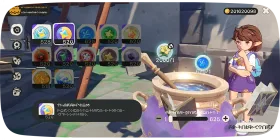
Once you've learned Creation Magic for the Starfrost Lamp, Starfire Lamp, and Pumpkin Lamp, you'll be able to create these creations anywhere in the northern Rocaria! Just remember that each time you place one, you'll use up a Little Starfrost Lamp, Little Starfire Lamp, or Little Pumpkin Lamp.
1Crafting "Creations"

New Creation Magic!
Once you've learned Creation Magic for the Starfrost Lamp, Starfire Lamp, and Pumpkin Lamp, you'll be able to create these creations anywhere in the northern Rocaria! Just remember that each time you place one, you'll use up a Little Starfrost Lamp, Little Starfire Lamp, or Little Pumpkin Lamp.
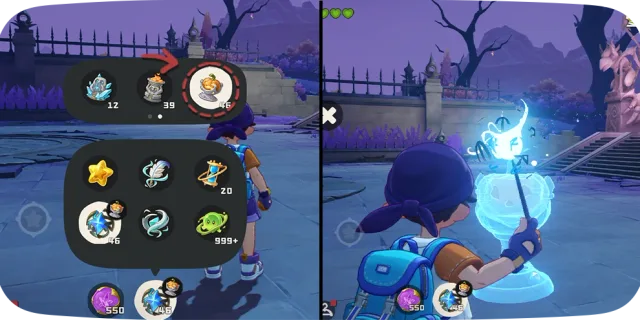
Placing Creations
To place a creation, simply select what you want and press and hold "Cast Spell." Select the perfect spot, release the button, and your creation will appear!
Be aware that some areas that are too steep or narrow won't be suitable for placement, so try to select use flat spaces when placing your creations.
2Upgrading Creations

Creation Discovered!
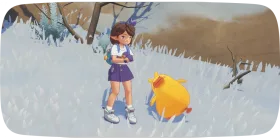
Inside Castle William and in the surrounding areas, you'll find special lamps infused with magical effects, which we call "creations."
3Blessings to the Radiant Tree

Blessings to the Radiant Tree
In Lightsheir, you'll find a miraculous statue known as Blessings to the Radiant Tree. Thanks to its magical power, Rocos can freely use their Creation Magic to craft items like the Starfrost Lamp in this area.
4Good to know
Lightings infused with magic, including Starfrost Lamp, Starfire Lamp, Pumpkin Lamp, and other types.